
Times Herald
USA TODAY Co.News & Magazines
3.565.00 Reviews
- Version
- 8.10.3
- Installs
- 10.00K
- Age Rating
- Everyone 10+
Screenshots
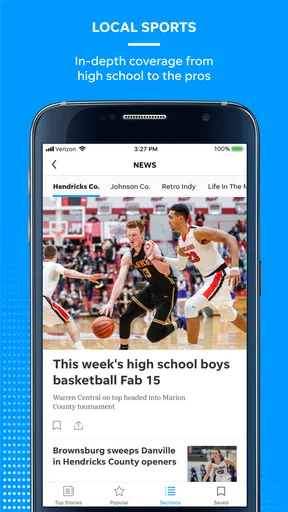
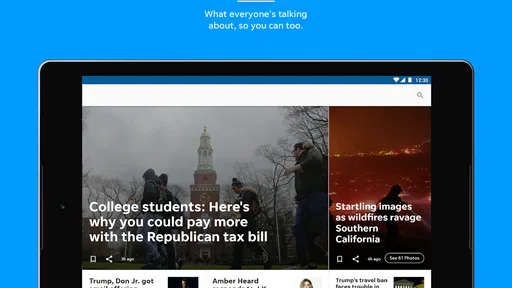
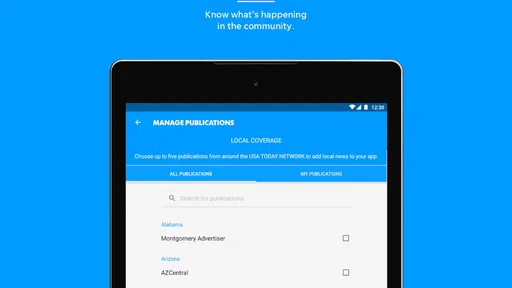
Our Review of Times Herald
 Analysis by Appyee
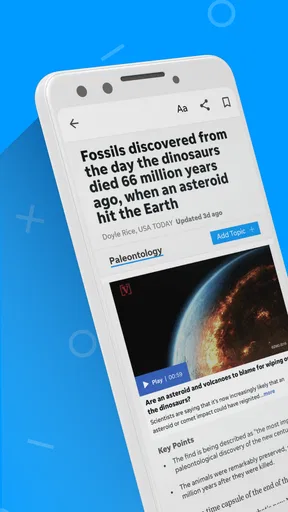
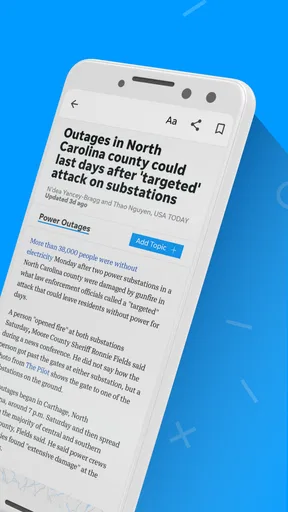
Times Herald is a free news and magazine app from USA TODAY Co. that I found most useful when I wanted a quick connection to local reporting without giving up national coverage. Its focus is familiar: news, photography, and video, presented for people who prefer checking a publication on a phone rather than opening a browser. I would describe it as a practical reading companion rather than a complete replacement for every news source.
What makes the app worth considering is the way a local paper can sit beside broader stories in the same reading routine. I can imagine opening it during breakfast for nearby updates, returning later for a larger national story, and using the visual articles when I have only a few minutes. That convenience is balanced by a few important qualifications. The experience depends heavily on how comfortable you are with mobile reading, moving between sections, and dealing with content that may be more visually rich than text-focused.
How Times Herald feels to read and navigate
The app belongs to the News & Magazines category, and that identity comes through immediately. It is built around browsing rather than a single task. Instead of treating every visit as a search for one exact answer, I found the format better suited to scanning headlines, opening a promising story, and moving on when something else catches my attention.
That approach works well for readers who like a newspaper-style rhythm. Local stories can feel more relevant than the endless stream of national headlines found in large general-purpose news apps, while the wider coverage gives the app enough variety for repeated visits. I would not use it as my only source for breaking developments, but it can make a local publication easier to keep within reach.
Readability is strongest when I give an article my full attention. The combination of written reporting, photography, and video creates a more layered presentation than a plain text feed. A photograph can quickly establish the setting of a story, while video may help when the subject is easier to understand by seeing it than by reading several paragraphs.
That same richness can make quick reading less predictable. A person who wants a very quiet, text-only interface may prefer a conventional mobile website or a lightweight headline reader. In Times Herald, visual material is part of the appeal, so readers should expect the experience to shift between text and media rather than remain uniform from article to article.
I also think the app is better for people who enjoy editorial discovery than for users who already know exactly what they need. If I am trying to locate one old article, compare several sources, or search a broad subject across many publications, a general search tool is usually faster. Times Herald makes more sense when the local publication itself is the destination.
Practical reading habits that make a difference
My most useful habit was to separate “quick check” reading from “sit down” reading. For a quick check, I would scan the available headlines and open only the items directly connected to my day. For a longer session, I would allow time for the photography and video instead of treating them as distractions. This avoids judging the app solely by how fast it delivers a headline.
Another helpful approach is to read with a stable screen position and comfortable text settings on the phone itself. The app cannot compensate for every display preference, and the operating system’s own text-size, contrast, and zoom tools may be more important than any individual control inside the app. Readers with reduced vision should test those settings before deciding whether the layout is comfortable for regular use.
The current version is 8.10.3, and it runs on Android 8.0 or later. That makes the app available to people using older supported Android devices, although the quality of the experience will still depend on the phone’s screen, speed, and ability to handle media. I would check the device’s display and performance first if accessibility is a deciding factor.
Its average rating is 3.5 from roughly 187 ratings, with 65 written reviews. I read that as a sign to keep expectations measured. The app clearly serves a recognizable purpose, but it is not the kind of product I would recommend blindly to every news reader. Personal preferences around layout, media, and local relevance matter a great deal here.
Motor, sensory, and attention-related considerations
For users with limited dexterity, the main question is how comfortably they can tap headlines, move through articles, and control media on a phone. News apps often require repeated small interactions, and Times Herald is no exception in that respect. Someone who has difficulty with precise touches may find a longer browsing session tiring, especially if the desired story is not the first item selected.
A useful workaround is to rely on the phone’s built-in interaction aids, such as larger touch targets where the operating system provides them, voice control, or an external keyboard. I would treat these as part of the complete setup rather than judging the app in isolation. They may make ordinary reading more manageable, but the result can vary by device and Android configuration.
For people sensitive to motion, sound, or fast-changing content, video deserves particular attention. Rich media can be valuable, but it can also compete with the written story. I prefer to open video intentionally, with the phone muted when I am in a shared space, rather than letting a visual story determine the pace of my visit. That simple habit makes the app feel less demanding.
Readers with hearing loss may find written reporting more dependable than video when the important information is delivered through speech. I would not assume that a video alone offers an equally comfortable alternative to the article. When accessibility matters, I would look for the written version first and use the media as an additional layer.
People with cognitive or attention-related needs may appreciate the clear purpose of a local news app, but the stream of headlines can still encourage unplanned scrolling. I found it easier to set a small goal before opening it: check local updates, read one longer report, or review the visual stories. That boundary reduces the feeling that I need to process everything on screen.
The app is rated for Everyone 10+, which makes it broadly suitable for a general audience while still leaving room for news topics that parents may want to discuss with younger readers. The age label should not be confused with a promise that every story will suit every child. News can involve upsetting events, and adults should guide younger users according to their own needs.
Using it in real-life situations
A realistic use case is a commuter who wants to check local developments before work, then return to a longer story during a lunch break. The first visit can be brief and selective; the second can make better use of photography or video. I like this pattern because it respects the fact that news consumption changes throughout the day rather than assuming every reader has uninterrupted time.
It can also help someone who has moved away from the area covered by the publication but still wants a connection to local events. In that situation, the app is less about filling every information need and more about maintaining a familiar news habit. National coverage adds useful context, but the local perspective remains the reason to choose this app over a large national aggregator.
For a family sharing a device, the visual presentation may make stories easier to discuss together. One person can read the article while another looks at the relevant photograph or watches the related video. On the other hand, shared-device users should be mindful of personal reading preferences and notifications managed at the device level, since different people may not want the same news experience.
For a reader with limited data or an older phone, I would be more cautious. Text is generally easier to handle than video and large images, so the media-heavy parts may be better saved for Wi-Fi or a stronger connection. I would also avoid assuming that every visit will feel equally fast on every device; the phone’s storage, processor, and network all influence the experience.
People who need news while driving should not use the app manually. It is a reading product, not a substitute for safe hands-free behavior. I would check it before leaving, during a proper stop, or after arriving. That sounds obvious, but the convenience of a phone news feed can make unsafe habits tempting.
Where the app still creates friction
The biggest limitation is that local relevance is personal. If the Times Herald coverage does not match your community or interests, the app loses much of its reason to exist. A national news app may offer broader subject selection, while a dedicated RSS reader may give more control over which publications appear. I would choose those alternatives when customization matters more than the identity of one local source.
The second issue is the balance between free access and optional purchases. The app itself is free, but in-app purchases range from $9.99 to $69.99 per item. That means I would review any purchase screen carefully before committing, especially if the app is being used by a child or on a shared device. Free installation does not necessarily mean every part of the reading experience has the same cost structure.
That distinction is important for people who want predictable spending. If your priority is completely open access with no purchase decisions, a public broadcaster’s app or a library-supported news service may be a better fit, depending on what is available in your area. Times Herald is more appropriate for someone who values this publication enough to consider optional paid access.
There is also a difference between accessibility in theory and accessibility in daily use. A news app can contain readable articles and still be difficult for someone who needs larger text, stronger contrast, fewer distractions, or less precise tapping. I would test one complete reading session rather than judging it from the first screen. Try opening a story, reading several paragraphs, handling an image or video, and returning to the news flow.
Screen glare, small phone displays, and crowded surroundings can make any mobile news experience harder. I found that a larger display or a tablet-like setup would be preferable for extended reading, while the phone is better for short checks. This is a meaningful trade-off: portability is convenient, but comfort may improve when the screen gives the article more room.
Finally, the app is not ideal for readers who want deep source comparison inside one interface. A general news aggregator can place different outlets side by side, and a browser makes it easier to move between references. Times Herald offers a focused publication experience instead of a research workspace. That focus is a strength for loyal local readers and a weakness for people who need a wide editorial range.
Who I would recommend it to
I would recommend Times Herald to readers who want local and national news in one focused app, especially those who enjoy photography and video alongside written stories. It is a sensible choice for someone building a daily local-news habit, a former resident keeping up with a familiar area, or a casual reader who prefers browsing a publication rather than assembling a feed from many sources.
I would be more selective for users with specific accessibility requirements. The app may work well when combined with Android’s text, display, and interaction settings, but I would test those tools on the actual phone before relying on it every day. A larger screen, muted media, and a deliberate reading routine can improve comfort, while a small display or difficult touch control can quickly become frustrating.
I would skip it if you want an entirely text-based reader, extensive cross-publication comparison, or a highly customized information dashboard. In those cases, a browser, RSS tool, or broad news aggregator may be the better choice. I would also avoid treating the free label as the whole financial picture, since optional purchases can reach a substantial amount per item.
The developer is USA TODAY Co., and the app has been available since May 3, 2012. That long presence gives it the feel of an established publication app rather than a temporary experiment, but longevity alone does not guarantee that its current presentation will suit every reader. I would still judge it by the practical test: can you find local stories comfortably, read them without strain, and control the media in the situations where you plan to use it?
In my view, Times Herald is most successful when treated as a focused local-news window with national reach, not as an all-purpose replacement for the internet. Its strongest qualities are the connection to local reporting and the mix of articles, photography, and video. Its weaker points are the potential friction of mobile reading, the uneven fit for different sensory and motor needs, and the need to pay attention to optional purchases.
My inclusive verdict is straightforward: choose it when local relevance and visual storytelling matter more than maximum customization. Before settling in, adjust the phone’s display and interaction settings, try both a short headline check and a longer article, and decide whether the media-rich format feels helpful or tiring. For the right reader, that small preparation can turn a merely convenient news app into a comfortable daily habit; for everyone else, a simpler or more customizable alternative will likely be kinder.
Verdict
Strengths of Times Herald
- Clear local coverage of community events and regional developments.
- Useful mix of breaking news, opinion, sports, and lifestyle content.
- Digital access makes the newspaper convenient to read on mobile devices.
- Regular updates help readers stay informed beyond the print edition.
- Established publication offers a familiar source for local news readers.
Limitations of Times Herald
- Some articles may require a subscription or paid digital access.
- Coverage can be less useful for readers outside the newspaper’s region.
- Advertising may make certain pages feel crowded on smaller screens.
- Opinion pieces may not appeal to readers seeking strictly neutral reporting.
- App performance and content availability may vary with internet connectivity.
Other Releases by USA TODAY Co.
View All
IndyStar: Indianapolis Star
News & Magazines2.7

AZ Central: Arizona Republic
News & Magazines2.5

The Detroit News: Local News
News & Magazines3.1

Detroit Free Press: Freep
News & Magazines3.0
Similar Picks in This Category
View All
Google News - Daily Headlines
Google LLC4.0

X
X Corp.4.8

Flipboard:Your Social Magazine
Flipboard3.4

Opera News: breaking & local
Opera4.5

Hindi News by Dainik Bhaskar
Dainik Bhaskar Group4.0

Way2News Daily News App
Way2News ( Formerly Way2SMS )4.6
Frequently Asked Questions
What is Times Herald, and what can I use it for?
Times Herald is a news and information app designed to help readers follow local, regional, national, and international stories in one place. After opening the app, users can browse headlines, read full articles, and keep up with developing topics. Depending on the edition available in your area, coverage may include politics, business, sports, entertainment, community news, and opinion content.
Is Times Herald free to download and use?
The Times Herald app may be free to download, but access to all of its content can depend on the publisher’s subscription policy. Some articles may be available without an account, while premium stories, archives, or unlimited reading could require a paid subscription or registration. Before downloading, check the current in-app terms, pricing, and available trial options for your region.
Does Times Herald require an account or subscription?
You may be able to read selected Times Herald content without creating an account, but registration can be required for personalized features, newsletters, saved articles, or access across multiple devices. A subscription may also be necessary for articles behind a paywall. It is worth reviewing the sign-up screen carefully so you understand renewal terms and what content your plan includes.
Can I receive breaking-news alerts from Times Herald?
Times Herald may offer push notifications for breaking news, important local developments, sports updates, or other selected categories. Notifications are typically optional and can be enabled during setup or later through the app’s settings and your device permissions. If you prefer a quieter experience, you can disable alerts entirely or limit them to the topics that matter most to you.
What should I check before installing Times Herald on my device?
Before installing Times Herald, confirm that your Android or iOS device meets the app’s current operating-system requirements and has enough available storage. You should also review the permissions requested, especially notifications and account-related access. Because news apps update frequently, using the latest version is recommended for improved stability, security, article loading, and compatibility with newer devices.
